Quick Summary
Boost your skills with 7 practical Python projects for 2026. Learn automation, web scraping, AI basics, and more with simple guides. Start building today!
Full Article
Formatted content with headings, lists & code blocks
Kickstart Your Career: 7 Real-World Python Projects for 2026
Python is incredibly popular, not just for its simplicity but for its power to solve real-world problems. If you're an engineering student or a budding developer, building projects is the absolute best way to learn, solidify your skills, and create an impressive portfolio. Forget basic tutorials; let's dive into practical Python projects that will be relevant and valuable in 2026!
Why Build Real-World Projects?
- Practical Experience: Apply theoretical knowledge to actual problems.
- Portfolio Builder: Showcase your skills to potential employers.
- Skill Development: Learn new libraries, frameworks, and problem-solving techniques.
- Confidence Boost: See tangible results of your coding efforts.
- Future-Proofing: Stay relevant with projects that address current and future needs.
Key Concepts & Fundamentals You'll Use
Before you jump into these projects, make sure you're comfortable with Python basics. You'll often use:
- Variables, Data Types & Operators: The building blocks of any program.
- Control Flow:
if/elsestatements,forandwhileloops. - Functions: Organizing your code into reusable blocks.
- Object-Oriented Programming (OOP) Basics: Classes and objects for structuring larger projects.
- Working with Files: Reading from and writing to text files, CSVs, etc.
- External Libraries & APIs: Python's strength lies in its vast ecosystem of modules for almost anything!
The Projects: Build & Learn for 2026!
1. Automated Email Sender/Scheduler
Imagine sending personalized emails at scheduled times without lifting a finger. This project teaches you about automation and integrating with external services.
- Tools/Tech:
smtplib(for sending emails),email(for creating email content),scheduleorapscheduler(for scheduling tasks). - Tips/Steps:Start with sending a simple text email.
- Add support for HTML content and attachments.
- Implement scheduling logic to send emails at specific intervals or times.
- Consider reading recipient lists and content from a CSV file.
- Real-World Use: Marketing automation, personalized notifications, daily reports, birthday reminders.
2. Web Scraper for Job Listings or Product Prices
Data is gold! Learn how to extract information from websites. This is crucial for market analysis, competitive research, or even finding your next job!
- Tools/Tech:
requests(for making HTTP requests),BeautifulSoup4(for parsing HTML),pandas(for data storage and analysis). - Tips/Steps:Always check a website's
robots.txtfile to see if scraping is allowed. - Identify the HTML structure (tags, classes, IDs) of the data you want to extract.
- Handle pagination and potential errors gracefully.
- Store the scraped data in a structured format like CSV or a database.
- Real-World Use: Competitive pricing analysis, lead generation, news aggregation, job market trends.
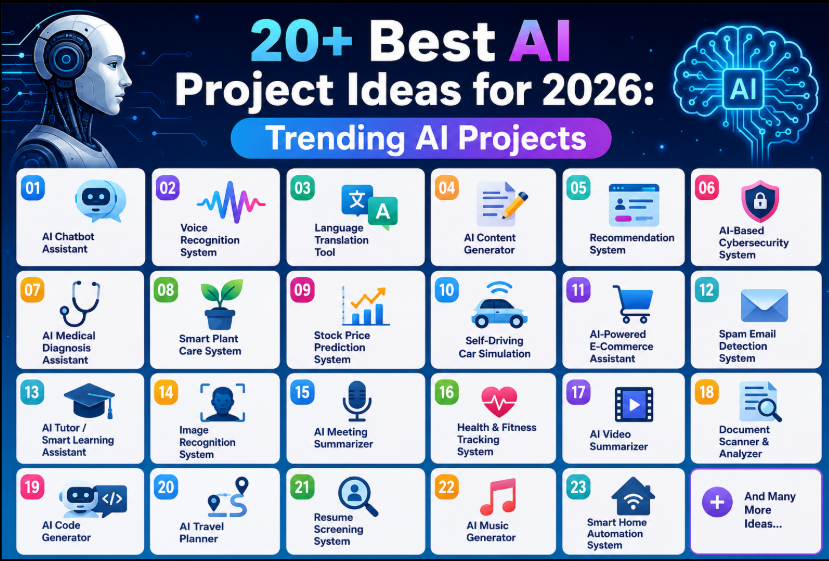
3. Simple Chatbot (Rule-Based or with NLP Basics)
Chatbots are everywhere, from customer service to personal assistants. Build a basic one to understand interaction design and natural language processing.
- Tools/Tech: Standard Python for rule-based logic;
NLTKorspaCyfor basic Natural Language Processing (NLP) if you go further. - Tips/Steps:Define a set of keywords and corresponding responses.
- Use conditional statements (
if/elif/else) to match user input. - Handle unknown inputs with polite fallback messages.
- For a challenge, explore simple intent recognition using regex or `NLTK`.
- Real-World Use: FAQ bots, virtual assistants, interactive customer support, educational tools.
4. Personal Finance Tracker
Manage your money better! This project helps you track income and expenses, categorize transactions, and visualize spending habits.
- Tools/Tech:
pandas(for data manipulation),matplotliborseaborn(for data visualization), SQLite (for storing data), potentiallyFlaskorDjangofor a web interface. - Tips/Steps:Design a simple data structure for transactions (date, amount, category, description).
- Implement functions to add, view, and summarize transactions.
- Generate basic reports like monthly spending by category.
- Visualize data with bar charts or pie charts to show spending patterns.
- Real-World Use: Budgeting, financial planning, personal accounting, understanding spending habits.
5. Image Processing Tool (e.g., Watermarker, Resizer, Filter App)
Learn to manipulate images programmatically. This is useful for content creators, e-commerce, or anyone dealing with digital media.
- Tools/Tech:
Pillow(PIL Fork) – the standard library for image processing in Python. - Tips/Steps:Start with opening and saving images.
- Implement basic operations like resizing or cropping.
- Add text watermarks or apply simple filters (grayscale, sepia).
- Consider creating a batch processing feature for multiple images.
- Real-World Use: E-commerce product image management, social media post automation, graphic design utilities, photo editing.
6. Task Management Application (CLI or Basic Web App)
Boost your productivity! Build an application to keep track of your tasks, set due dates, and mark them as complete.
- Tools/Tech: SQLite (for database storage),
Click(for a powerful Command Line Interface), orFlask/Django(for a simple web interface). - Tips/Steps:Define task attributes (title, description, due date, status).
- Implement CRUD (Create, Read, Update, Delete) operations for tasks.
- Allow filtering tasks by status or due date.
- For a web app, design basic HTML templates to display tasks.
- Real-World Use: Personal productivity, small team project management, habit tracking, reminder systems.
7. AI-Powered Recommendation System (Simplified)
Get a taste of Machine Learning! Build a basic system that recommends items (like movies or products) based on user preferences or item similarities.
- Tools/Tech:
pandas(for data handling),scikit-learn(for basic similarity calculations like cosine similarity), or simple collaborative filtering logic. - Tips/Steps:Start with a small dataset of users, items, and ratings.
- Implement a simple similarity metric (e.g., Euclidean distance or cosine similarity) between users or items.
- Recommend items based on what similar users liked or what's similar to items a user already liked.
- Understand the limitations of a simple system vs. complex algorithms.
- Real-World Use: E-commerce product recommendations, content suggestion (movies, music, articles), personalized advertising.
Common Mistakes to Avoid
- Overcomplicating Early On: Start with the simplest version, then add features.
- Ignoring Error Handling: Your program will encounter unexpected inputs; plan for them.
- Not Breaking Down Problems: Large tasks are easier to manage when broken into smaller, solvable parts.
- Copy-Pasting Without Understanding: Always try to understand why a piece of code works before using it.
- Neglecting Version Control: Use Git! It's essential for tracking changes and collaborating.
Ready to Build?
These projects are stepping stones to becoming a more proficient Python developer. They challenge you to think like an engineer and solve practical problems. Pick one that excites you, start small, and don't be afraid to experiment!
Explore more project ideas and tutorials on Projects Hub to continue your learning journey! Happy coding!